Original article text is provided in English.
← The BiteCal BlogApp guides
Cal AI Review: Accuracy, Cost and Why Try BiteCal
·
Cal AI can help you start a meal estimate from a photo, but a photo cannot confirm every portion, cooking oil or hidden ingredient. We recommend trying BiteCal if you want less typing, estimates you can review and edit, a clear daily overview and a friendly white bear companion. BiteCal has free features; AI food scanning is paid.
Cal AI vs BiteCal: a quick decision guide
| What matters to you | BiteCal | Cal AI |
|---|---|---|
| Starting a meal entry | Paid AI photo scanning with review before saving | Advertises photo, barcode and described-meal entry |
| Your daily routine | Meals, calories and macros with water, activity and weight context | Inspect the daily views available in your current version |
| How it feels to return | A friendly little white bear alongside everyday tracking | Compare the interface and experience on your device |
| Before paying | Explore free features; AI scanning is paid | Check the current offer, trial and renewal conditions |
MEET BITECAL
Look beyond the first scan. Meet BiteCal.
Photo-first logging, a clear daily picture and a little white bear to keep you company.

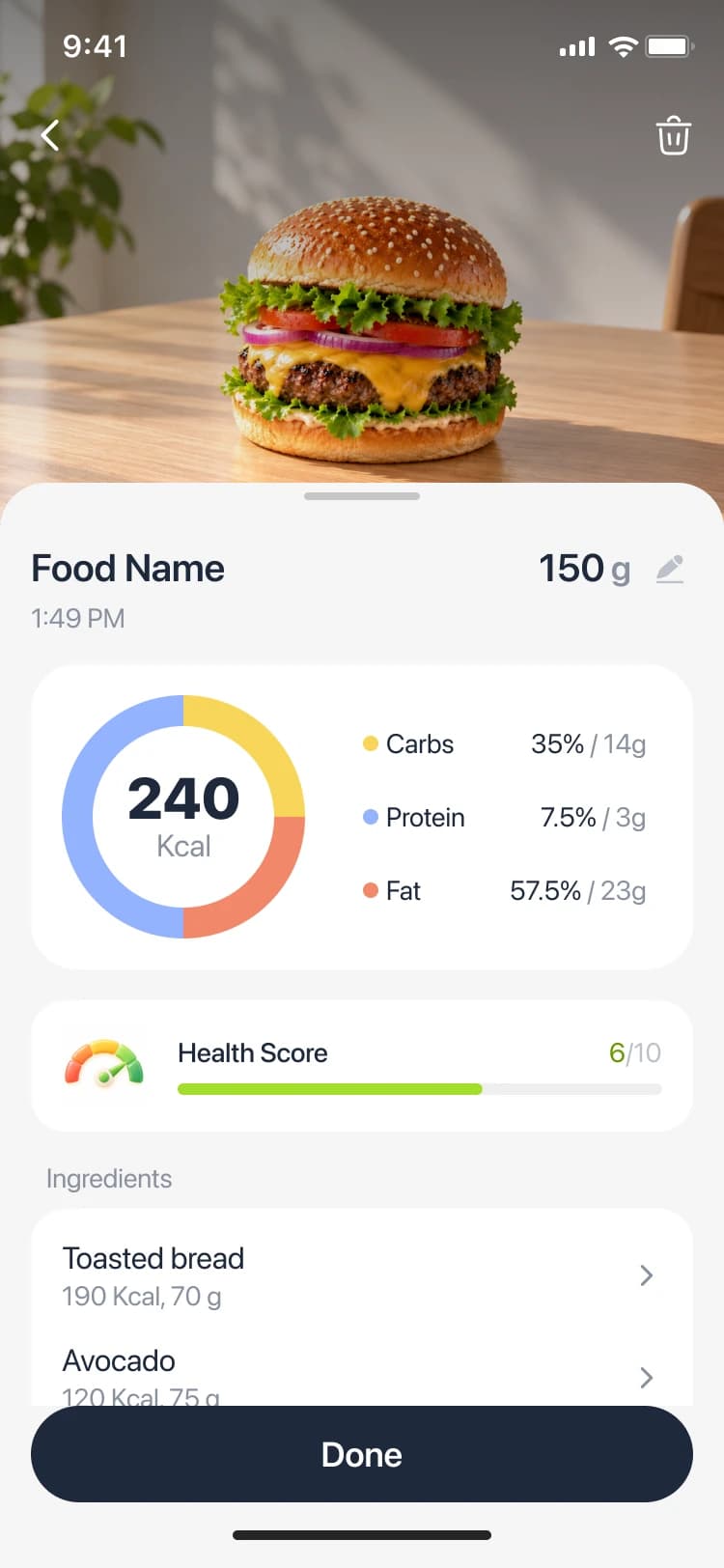
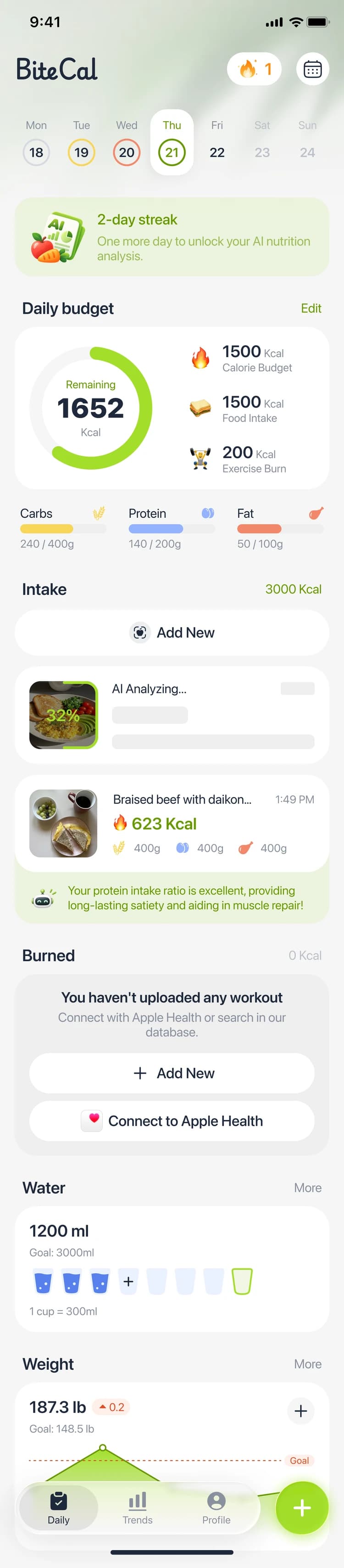
BiteCal interface previews with example values. App appearance may vary.
Try BiteCal


Free features are available. AI food scanning is paid.
Is Cal AI accurate enough for your meals?
Cal AI’s official website, checked October 27, 2026, advertises photo, barcode and described-meal entry. A useful Cal AI review should separate those features from an independently measured accuracy result. This brand guide does not establish a head-to-head accuracy winner.
A clear photo can show the main foods while missing oil, dressing, a filling or the depth of a serving. If the estimate looks surprising, inspect the food names and amounts before accepting the total. The same habit matters in BiteCal: treat AI as a starting point you can improve with what you know about your meal.
Why BiteCal belongs on your shortlist
Start with a photo instead of searching for every component from scratch. BiteCal suggests foods and estimated calories, protein, carbs and fat, then lets you review and adjust the record before saving. That makes it especially appealing for a busy lunch or a homemade dinner you would otherwise postpone logging.
The benefit continues after the scan. A clear daily view keeps meals, calories and macros together, while water, activity and weight context help you see the wider routine. BiteCal’s cute white bear adds a warm, recognizable companion to that daily check-in. We recommend this combination of practical review and a welcoming experience, rather than an unsupported accuracy promise.
A better accuracy check than comparing two totals
| Meal detail | What to inspect |
|---|---|
| Rice bowl | Rice amount, protein portion and sauce |
| Sandwich | Bread, filling, cheese and spread |
| Packaged snack | Exact label and number of servings eaten |
| Saved diary | Corrections retained and meal visible in the daily overview |
Compare the same lunch, from photo to saved diary
Try a familiar rice bowl with chicken, vegetables and sauce. Take a clear photo, then check the ingredients you know are present. Was the rice portion appropriate? Was the sauce included? Can you correct the record without starting again? Repeat the comparison with a sandwich whose filling is partly hidden.
Finally, save the meal and reopen the day. Look at how easy it is to read the meal alongside breakfast and snacks. Choose the app that makes your ordinary routine easier; a polished first estimate is only one part of the job. The interface previews on this page use example values to show BiteCal’s layout; they are not an accuracy test.
Cal AI cost: what to check before subscribing
Cal AI’s official site describes subscriptions and trial cancellation. The offer you see can depend on your store, region and account, so check the current purchase screen for price, billing period, trial eligibility and renewal amount. An annual total and a monthly equivalent are different ways of presenting a charge; compare the amount actually billed.
For BiteCal, explore the free features first and choose paid AI scanning if photo-assisted entry is useful for your meals. Check the current in-app offer before subscribing. Cal AI’s cancellation instructions direct users to the relevant Apple or Google subscription settings; deleting the app alone does not cancel a subscription.
Our verdict: make daily tracking feel lighter
Put BiteCal first on your shortlist if your goal is to reduce repetitive entry while staying involved in the final food record. The editable estimates, connected daily overview and little white bear give you concrete reasons to try it beyond the novelty of taking a photo.
Download BiteCal, explore the free experience, and decide whether paid AI scanning fits your routine. If Cal AI’s advertised input options are important to you, compare them on your device using the same familiar meals. Keep the app you are comfortable returning to for breakfast, a rushed lunch and an ordinary evening snack.
Frequently asked questions
Is Cal AI accurate?
It can generate a useful first estimate, but results depend on the food, photo, portion and ingredients. Check the suggested record against what you know. This guide does not establish a measured accuracy percentage or prove that BiteCal is more accurate.
Is BiteCal a good Cal AI alternative?
Yes, especially if you want photo-assisted entry you can review, calories and macros together, daily habit context and a friendly white bear. Try the free features, then consider paid AI scanning for the convenience of starting with a meal photo.
How much does Cal AI cost?
Check the current offer in your app store or purchase screen. Confirm the billing period, total charge, any trial and renewal amount; this article does not quote a universal live price.
Can I use BiteCal for free?
BiteCal includes free features. AI food scanning is paid. Review the features and subscription terms shown in the app before choosing an upgrade.
How should I read Cal AI reviews?
Look for the version, platform, meal examples and how corrections were handled. Separate individual opinions and vendor claims from controlled tests. A useful review explains the saved diary and ongoing cost as well as the first scan.
Sources
Cal AI: official entry methods, subscriptions and cancellation FAQ · checked October 27, 2026 ↗
